 Embroidery digitizing studio

Draw or import artwork, turn it into real stitches, and export DST/EXP for your machine.
Threadsmith is a free embroidery digitizing studio in your browser: draw with pen, shapes, freehand and a built-in lettering font, import SVG or trace a bitmap, and give every object running, satin, tatami, contour or motif stitches with proper underlay. A thread-look preview, stitch-out simulator, density heat map and production worksheet show what the machine will do, and designs export as Tajima DST or Melco EXP.

Screenshots
 Design view: tools on the left, objects and properties on the right
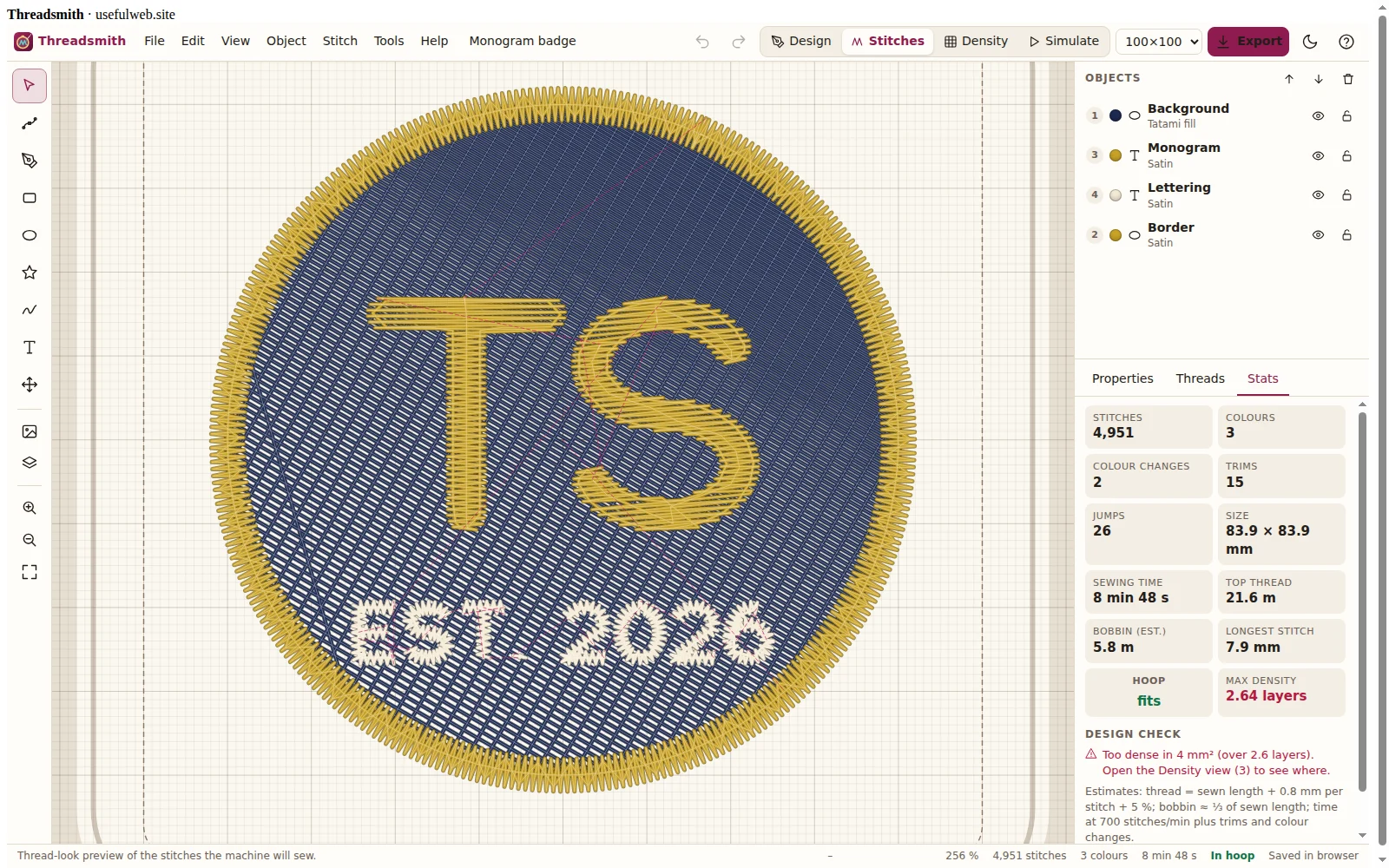 Thread-look stitch preview of the monogram badge template
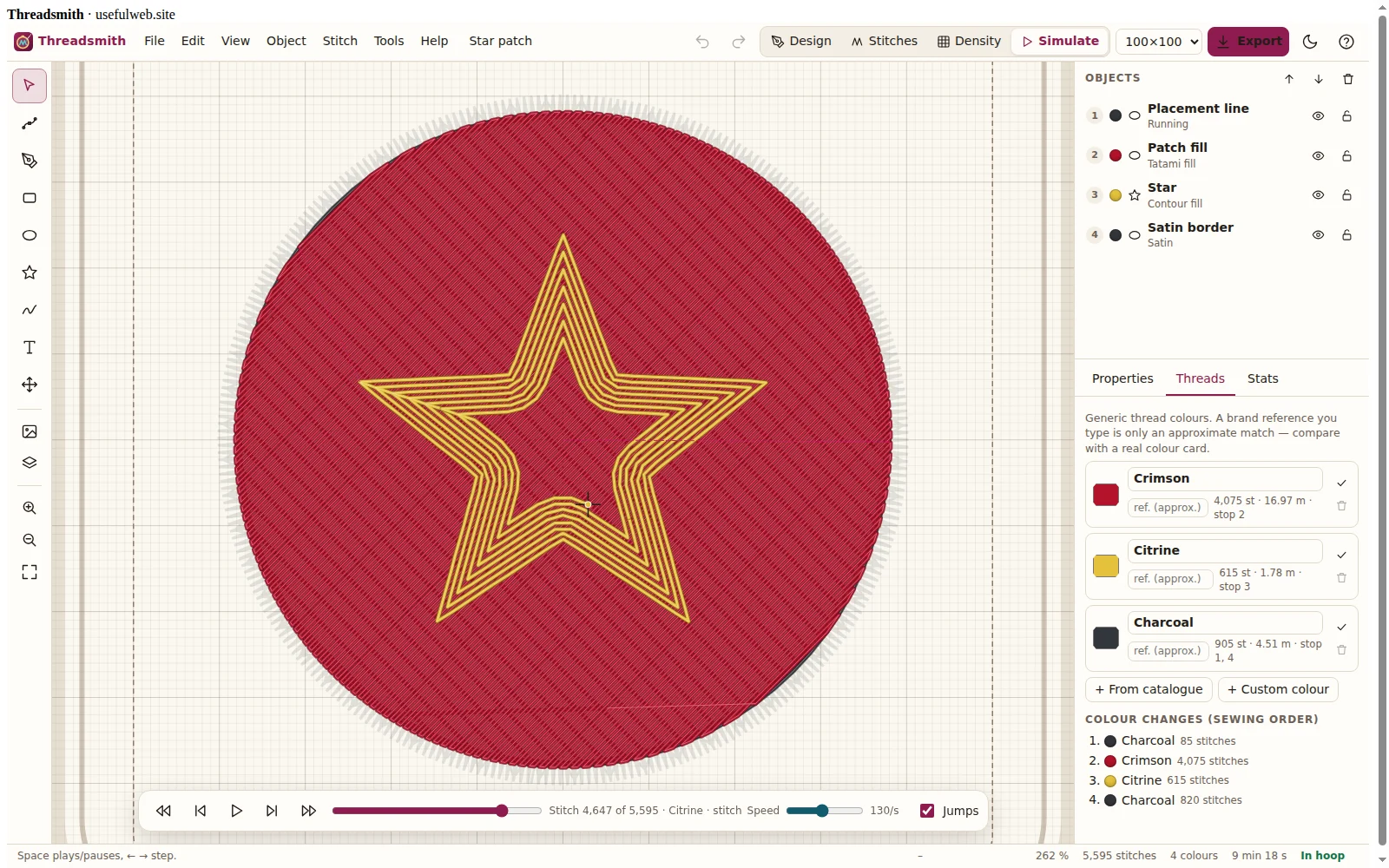 Stitch-out simulator with speed control and jump display
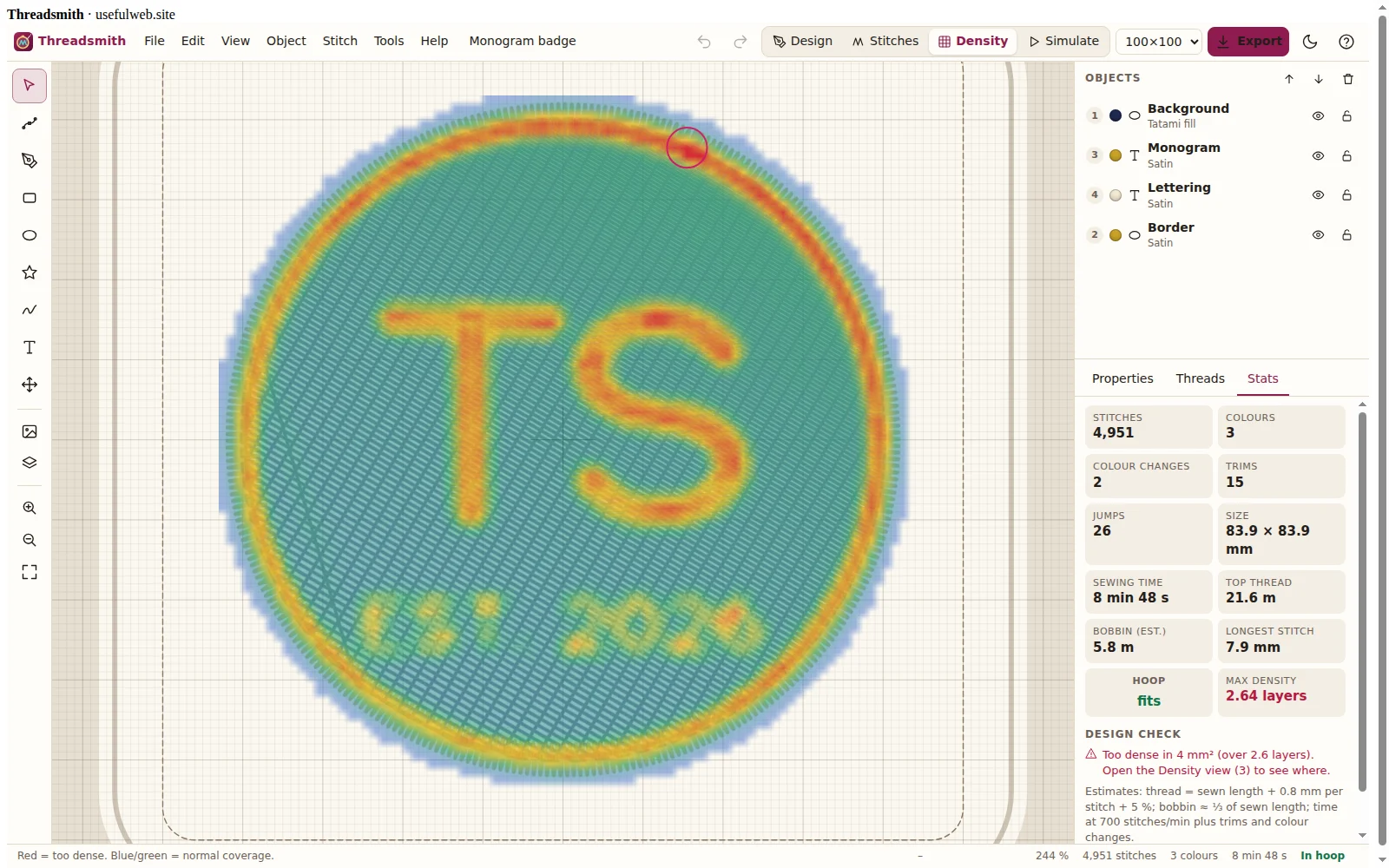 Density heat map highlights spots that are too dense
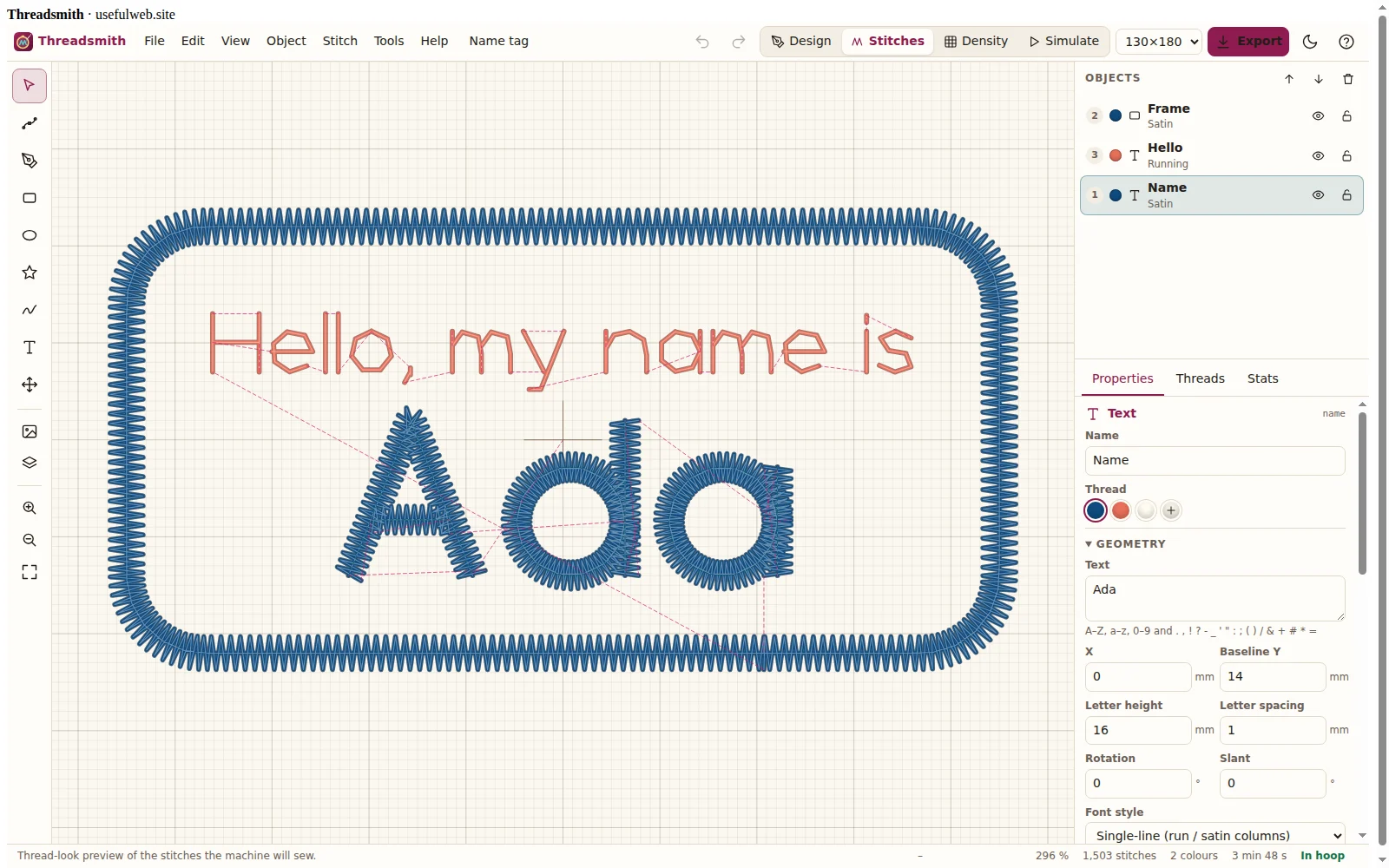 Built-in single-line font sewn as satin columns
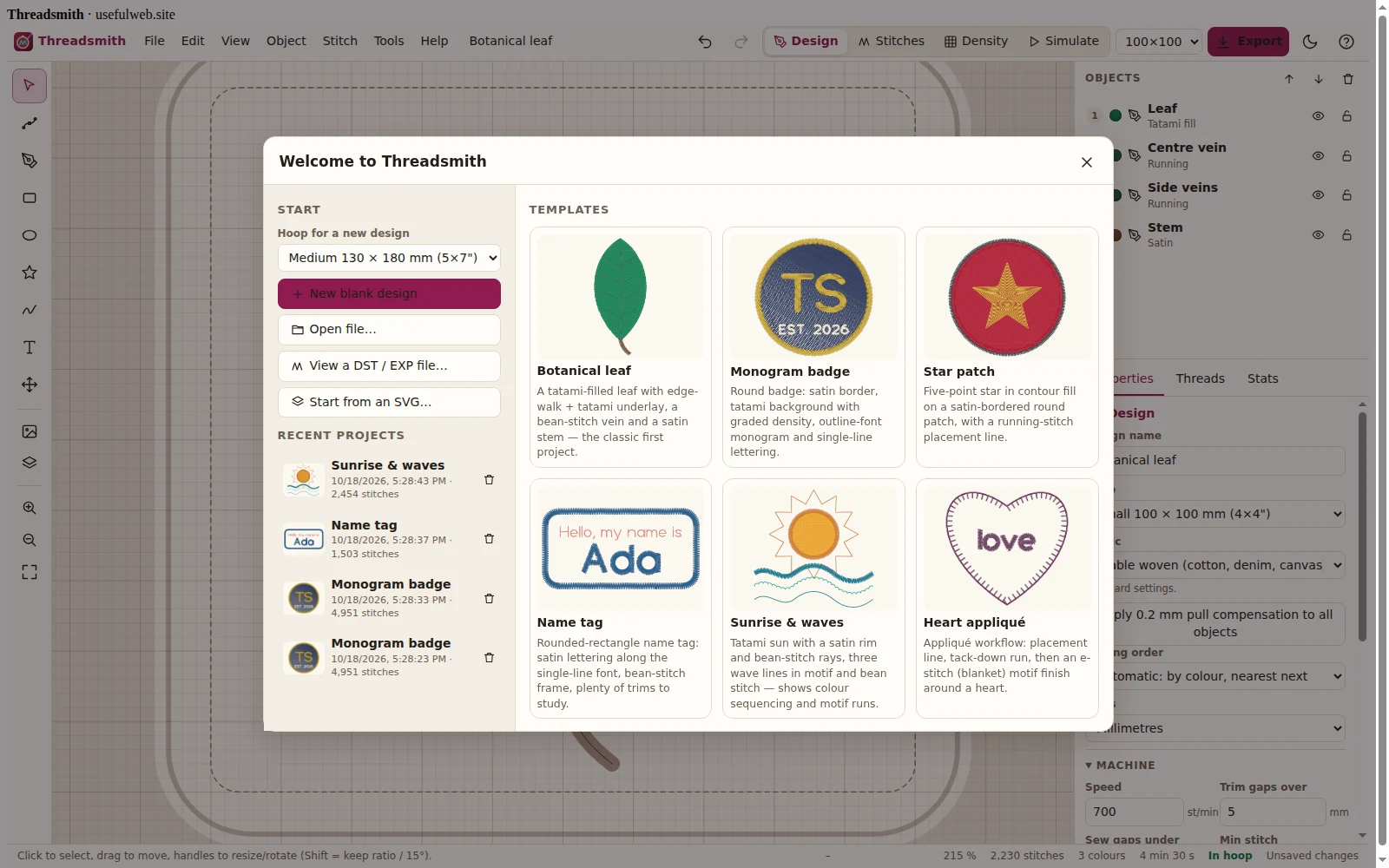 Start screen: templates and recent projects
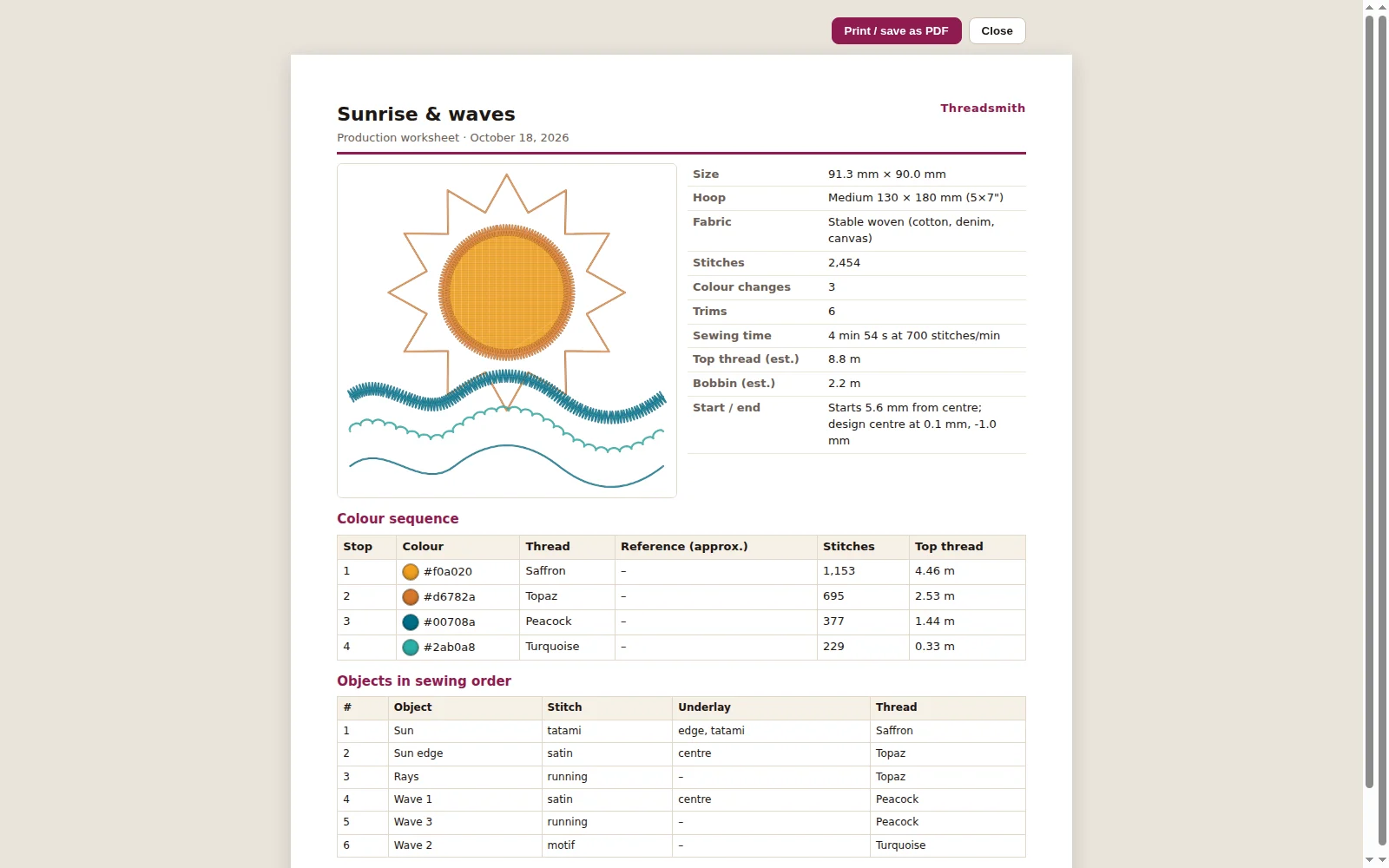 Production worksheet for the machine operator
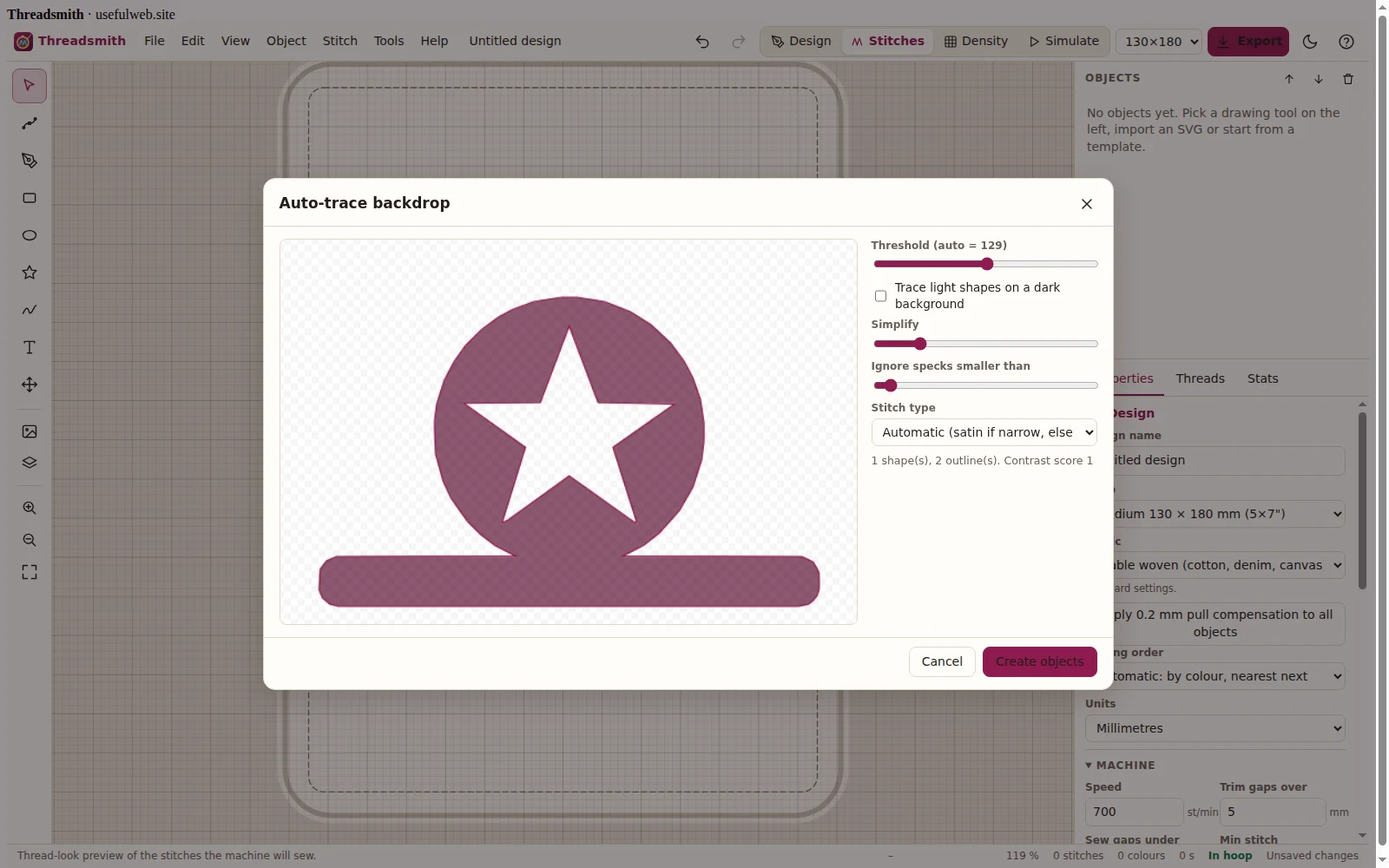 Bitmap backdrop and auto-trace
Features
Vector drawing
Bézier pen with node editing, rectangles, ellipses, polygons and stars, and freehand strokes smoothed into clean curves.
Built-in lettering
An original single-line embroidery font (A–Z, a–z, 0–9, punctuation) sewn as running or satin columns, plus an outline variant for filled letters.
SVG import
Paths, basic shapes and transforms come in at their real size with colours matched to threads; unsupported parts are skipped with a clear note.
Bitmap backdrop & auto-trace
Place a photo or logo as a tracing backdrop with adjustable opacity, or auto-trace high-contrast art into fill shapes.
Satin that behaves
Density, pull compensation, auto split for wide columns, short stitches on tight curves and satin borders for appliqué edges.
Tatami & contour fills
Fill angle, row spacing, stagger pattern and optional graded density; contour fills follow the outline inwards.
Proper underlay
Centre-walk, edge-walk, zig-zag and tatami underlay per object to stabilise the fabric before the top stitching.
Smart sequencing
Auto order by colour and nearest neighbour, start/end points, tie-in/tie-off and automatic jumps or trims.
Stitch-out simulator
Watch the design sew stitch by stitch with speed control, stepping, jump display and a live needle position.
Density heat map
See thread coverage per square millimetre and get warnings where layers pile up too thick.
Thread palette & stats
Jewel-toned generic thread palette, colour-change list, stitch count, thread per colour, bobbin estimate and sewing time.
Hoops from 4×4 to 14×8
Common sewing fields from 100 × 100 mm to 360 × 200 mm, with an out-of-hoop warning.
DST & EXP export / import
Write Tajima DST and Melco EXP, re-open them to view or edit the stitches, plus SVG and PNG pictures of the design.
Production worksheet
A printable sheet with preview, size, colour sequence with swatches, thread lengths and timing for the machine operator.


Templates
Start from a ready-made project and change it to fit.
Botanical leaf
A tatami-filled leaf with edge-walk + tatami underlay, a bean-stitch vein and a satin stem — the classic first project.
Monogram badge
Round badge: satin border, tatami background with graded density, outline-font monogram and single-line lettering.
Star patch
Five-point star in contour fill on a satin-bordered round patch, with a running-stitch placement line (manual sewing order: placement, fill, star, border).
Name tag
Rounded-rectangle name tag: satin lettering along the single-line font, bean-stitch frame, plenty of trims to study.
Sunrise & waves
Tatami sun with a satin rim and bean-stitch rays, three wave lines in motif and bean stitch — shows colour sequencing and motif runs.
Heart appliqué
Appliqué workflow: placement line, tack-down run, then an e-stitch (blanket) motif finish around a heart.
For AI agents
Threadsmith runs on a deterministic engine. The same functions are available as tools with a JSON API and MCP, so scripts and AI agents get exactly the results the app shows.
- Threadsmith Digitizer – Turn shapes, SVG paths, text or a whole project into embroidery stitches with stats and preview.
Tool page ·POST https://threadsmith.usefulweb.site/api/v1/tools/threadsmith-digitize/calculate· MCPthreadsmith_digitize - Threadsmith Stitch File Writer – Write Tajima DST or Melco EXP machine files from a stitch list or a Threadsmith project.
Tool page ·POST https://threadsmith.usefulweb.site/api/v1/tools/threadsmith-stitch-file/calculate· MCPthreadsmith_stitch_file - Threadsmith Design Stats – Stitch count, colours, trims, thread, bobbin, sewing time and density of a DST/EXP file.
Tool page ·POST https://threadsmith.usefulweb.site/api/v1/tools/threadsmith-design-stats/calculate· MCPthreadsmith_design_stats
- MCP endpoint (Streamable HTTP):
https://threadsmith.usefulweb.site/mcp - Project file format (JSON Schema): https://threadsmith.usefulweb.site/project.schema.json
- OpenAPI description: /openapi.json · llms.txt · API & MCP
Build a project through the API, then open it in the app with a link to https://threadsmith.usefulweb.site/app#project=<base64url JSON>.
Import & export
Import
- Threadsmith project (.threadsmith.json)
- SVG (paths, basic shapes, transforms)
- PNG / JPEG / WebP (backdrop & auto-trace)
- Tajima DST (.dst)
- Melco EXP (.exp)
Export
- Tajima DST (.dst)
- Melco EXP (.exp)
- SVG stitch picture
- PNG stitch picture
- Printable production worksheet
- Threadsmith project (.threadsmith.json)
Keyboard shortcuts
| Keys | Action |
|---|---|
| V | Select / move tool |
| A | Node edit tool |
| P | Pen (Bézier) tool |
| R | Rectangle |
| E | Ellipse |
| G | Polygon / star |
| F | Freehand |
| T | Text |
| H or hold Space | Pan |
| 1 / 2 / 3 / 4 | Design, stitch, density and simulator views |
| Ctrl + Z / Ctrl + Shift + Z | Undo / redo |
| Ctrl + C / Ctrl + V / Ctrl + D | Copy / paste / duplicate |
| Delete | Delete selection |
| Arrow keys (Shift = 10×) | Nudge selection by 0.5 mm (5 mm) |
| [ / ] | Move object earlier / later in the sequence |
| Ctrl + S / Ctrl + O / Ctrl + N | Save / open / new project |
| Ctrl + E | Export DST |
| Ctrl + P | Production worksheet |
| 0 / + / − | Fit / zoom in / zoom out |
| Space (simulator) | Play / pause stitch-out |
| Enter / Esc | Finish / cancel the current path |
| ? | Keyboard shortcuts |
Frequently asked questions
Which embroidery machines can use the files?
Tajima DST is read by nearly every commercial and many home machines (Brother, Janome, Bernina, Tajima, Barudan and others, sometimes via their own software). Melco EXP is used by Melco/Bernina machines. Check your machine manual for the formats it accepts.
Why does my machine not show the right colours?
DST and EXP only contain stitches and colour-change commands, not colours. Use the colour list on the production worksheet to thread the needles in order.
Are the thread colours brand shades?
No. The palette uses generic descriptive names (Ruby, Sapphire …). You can type your own brand reference into a thread; Threadsmith always shows it as approximate.
How accurate are the thread and time estimates?
They are planning figures: sewn length plus 0.8 mm take-up per stitch and 5 % waste, bobbin about a third of the sewn length, and time from your machine speed plus trims and colour changes. Real values depend on fabric, tension and machine.
Where is my work saved?
In your browser (IndexedDB) automatically every few seconds. Use Save to download a .threadsmith.json file for backup or to move it to another computer. Nothing is uploaded.
Can AI agents use Threadsmith?
Yes. The digitizer, the DST/EXP writer and the design statistics are API and MCP tools. An agent can build a project in the documented JSON format, get stitches and stats, and give you an “Open in app” link.
What makes a design sew well?
Use underlay under satin and fills, keep satin columns between about 1 and 8 mm wide, add pull compensation on stretchy fabric, avoid stacking too many layers (watch the density map) and test-stitch on the real fabric with stabiliser.
Limitations
What Threadsmith does not do (yet):
- No PES, JEF, VP3 or other proprietary formats yet — DST and EXP only (most software converts from DST).
- Auto-trace works on high-contrast logos and line art, not on photos; there is no automatic colour separation of photos.
- Satin on closed shapes stitches straight across at one angle (no hand-set direction lines); turning satin is available along open paths, text strokes and borders.
- Travel stitches inside fills run in straight lines; very complex fills may need manual start/end points or splitting.
- The lettering has one built-in font family (single-line and outline variants); TrueType fonts are not imported.
- Thread, bobbin and time figures are estimates, not machine-measured values.
- Phones get a simplified view; editing is designed for desktop and tablet.
Tutorials
Learn Threadsmith step by step.
- Your first embroidery design in 5 minutesOpen Threadsmith, draw a shape, give it real stitches, check the stitch preview and export a DST file for your machine.Beginner 5 min
- Satin, tatami and underlay explainedChoose the right stitch type, set density, pull compensation and underlay, and use the density heat map to avoid thread pile-ups.Intermediate 12 min
- Lettering and name tags with the built-in fontAdd text, choose single-line or outline lettering, sew it as running, bean or satin and fine-tune size, spacing and slant.Beginner 8 min
- Import SVG artwork, trace bitmaps and draw with the penBring existing logos into Threadsmith — as SVG, by auto-tracing a high-contrast image, or by drawing Bézier paths over a backdrop.Intermediate 10 min
- Sewing order, simulation and the production worksheetControl the sequence, start and end points, jumps and trims; watch the stitch-out simulator; and hand over a printed worksheet with DST or EXP.Advanced 12 min
- Automate Threadsmith with the API and MCPDigitize text, shapes, SVG or whole projects, write DST/EXP files and analyse stitch files from scripts and AI agents — with real request and response examples.Advanced 15 min
Ready to try it?
Other premium apps
-

Kerfwise
Cabinet & furniture CAD
Design cabinets and furniture, get cut lists, optimised sheet layouts, costs and drawings.
-

Kinetica
Robot motion studio
Simulate robot arms in your browser: kinematics, trajectories, collisions, program export.
-

Ohmforge
Virtual electronics workbench
Draw a circuit, switch it on, and measure it with real-feeling bench instruments.
-

Twinworks
Factory digital twin & production simulation
Model a production line, simulate it and find the bottleneck — free, in your browser.